
 Add to Chrome
Simon Willison’s lethal trifecta names the setup that lets an attacker steal data through an AI agent. The agent can read private data. It reads untrusted content. It can communicate externally. Put all three in one agent, and a single hostile page can instruct it to collect what it can see and send it somewhere.
A browser agent cannot drop the second leg. Every page it opens is untrusted input, and nobody has a reliable filter for prompt injection. So Retriever limits the other two, separately for each agent:
| Leg of the trifecta | What a Retriever sandbox does |
|---|---|
| Private data | You choose which sites’ logins Cloud can use, and you can keep separate login profiles, for example one per client or job. A run or schedule uses one profile’s logins, or none, and a profile run never sees your other logins. Saved passwords and 2FA keys are encrypted and typed in by our sign-in code: the model sees only the site and a masked username. Synced cookies load straight into the cloud browser and never reach the model. Files, datasets, and skills are attached to the run or schedule that needs them. |
| Untrusted content | Always present for a browser agent. We treat every page, and every request a page makes, as hostile. |
| External communication | Every request goes through our egress gateway, which refuses loopback, private, link-local, tailnet, and cloud-metadata destinations. With a Tailscale Tunnel, the traffic then exits through a computer on your network: sites see your IP, and that network’s firewall applies. One DNS rebinding gap remains, described below. |
This does not make a poisoned page harmless. An agent that can reach the public internet can still be told to send what it holds to a public site, and we do not filter public destinations. A sandbox limits what the agent holds and which network its traffic leaves from, so one tricked agent exposes one job rather than every account you have.
For a team, that means one sandbox per job, not one agent with every key. Give the prospecting agent a login profile with LinkedIn and your CRM, and the finance agent a profile with the billing portal, routed through your office. Attach the files each job needs and put it on a schedule. If one agent reads a poisoned page, it holds that job’s logins, not every account your team uses.
The rest of this post covers the network leg in detail: how a cloud browser’s traffic exits through your own Tailscale node, how we decide what that browser may reach, and the one DNS rebinding gap that is still open.
Why AI agents get flagged on LinkedIn
Why a cloud browser’s network and device identity can trigger account checks.

Why the traffic leaves from your network
A cloud browser can use your saved login and still look unfamiliar to a website. The session came from your laptop. The next request comes from a data center.
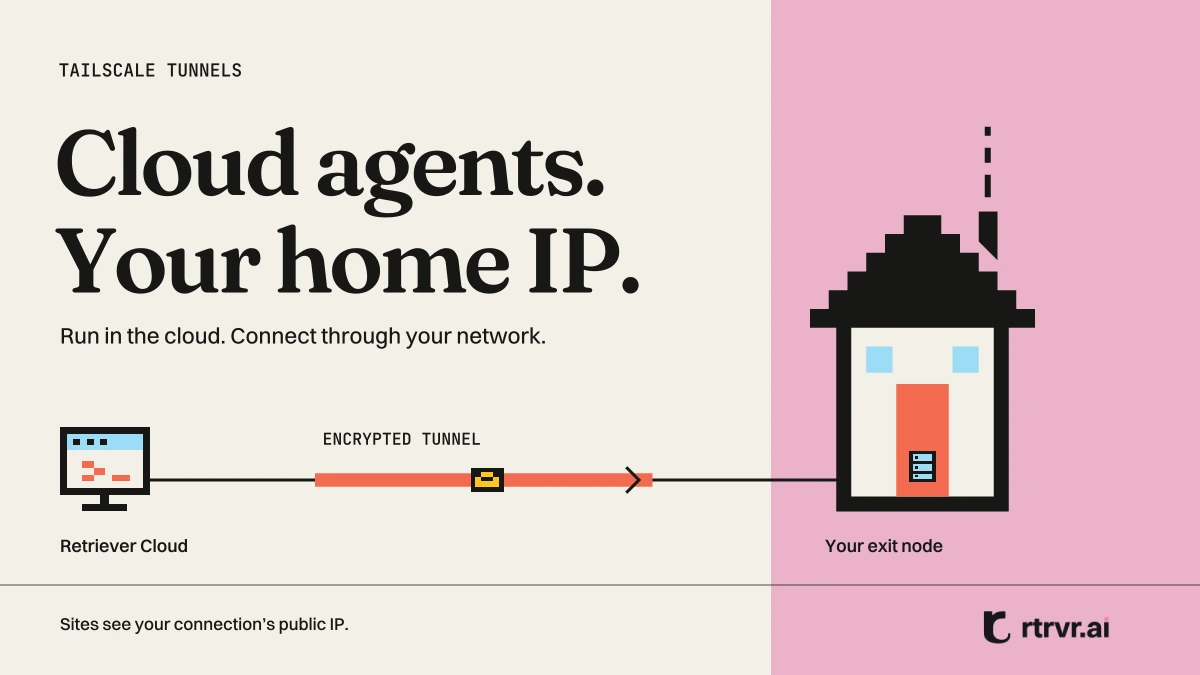
Tailscale Tunnels let Retriever’s cloud browser connect through an exit node on your home or office network. The agent runs in our cloud. Sites see the public IP of your connection. An old laptop, Mac mini, or Raspberry Pi can serve as the exit node.
We shipped the feature in October. Tailscale’s userspace proxy gave us the route. The harder part was deciding what the browser could reach through it.
A cloud browser needs your public IP. It should not get access to your router, NAS, or other tailnet devices.
We treat page content as untrusted. A hostile page can make requests itself or use prompt injection to steer the agent. We built destination checks, per-run tunnel ownership, and fail-closed routing around that threat model. One DNS rebinding gap remains. We explain it below, including where tailnet policy must enforce the boundary.
What your home IP changes
Sites assess sessions using several signals, including network, device, and activity. Moving a session from a home connection to a cloud provider’s address range can trigger verification. A residential proxy changes the address type, but it still gives you a different IP.
Your own exit node keeps the connection on your network. It does not make the cloud browser the same device as your laptop. Sites can still challenge a session, restrict an account, or enforce their automation rules.
The architecture
Traffic path: Chrome → egress gateway → tailscaled → WireGuard tunnel → your exit node → public website. The gateway rejects known private destinations. Tailscale coordination supplies public keys, peers, and policy.
The gateway checks the destination. tailscaled sends the connection through your exit node. The site sees your public IP.
The web traffic path has five steps:
- Chrome sends requests to the egress gateway at
127.0.0.1:3128, including requests to localhost. - The gateway checks the destination. It rejects forbidden IPs and hostnames that resolve to forbidden addresses.
- The gateway forwards allowed connections to tailscaled. Each run gets a daemon in userspace mode with an HTTP proxy on a random loopback port.
- Tailscale carries the connection to your exit node over WireGuard. Peers connect directly when NAT traversal succeeds. Otherwise, they use a DERP relay.
- Your exit node connects to the site. The site sees your exit node’s public IP.
Tailscale’s coordination service distributes public keys, peer information, and policy. It does not carry the browser traffic shown in the diagram. A DERP relay carries encrypted traffic when the peers cannot connect directly.
The browser lease owns the tunnel
A container runs one Chrome and one browser lease at a time. It can also handle detached runs, scrapes, and warm-ups, so container ownership alone is too broad.
We bind the tunnel to the browser lease. Its slot holds at most one tailscaled, keyed by request ID and route owner. A new request must stop the previous node before it binds. Binds and releases run in sequence.
Before the lease binds, the route points to the discard port. An early request fails instead of leaving from the container’s IP:
export const TAILNET_UNBOUND_SERVER = 'http://127.0.0.1:9';One tailscaled per run
We use the stock daemon:
// Pass only the environment tailscaled needs, not the server’s credentials.
const env = { PATH: process.env.PATH || '/usr/local/bin:/usr/bin:/bin', HOME: dir };
spawn(binaries.tailscaled, [
  '--tun=userspace-networking',
  stateFile ? `--state=${stateFile}` : '--state=mem:',
  `--statedir=${stateDir}`,
  `--socket=${socket}`,
  '--port=0',
  `--outbound-http-proxy-listen=127.0.0.1:${port}`,
  '--no-logs-no-support',
], { stdio: ['ignore', 'pipe', 'pipe'], env });
Userspace networking needs no TUN device and does not change the container’s routing table. Traffic enters through the loopback proxy. Other processes do not inherit a route into your tailnet.
Each daemon gets a separate 0700 directory, control socket, and port. OAuth runs keep node state in memory. Sign-in runs restore a saved state file. The --no-logs-no-support flag disables tailscaled’s log uploads to Tailscale.
The node joins with --accept-routes=false, so it does not install advertised subnet routes. For OAuth runs, the auth key goes into a 0600 file that we delete in a finally block. We then select the exit node:
await cli(['set', `--exit-node=${ip}`, '--exit-node-allow-lan-access=false']);We match the saved exit node by node ID, then Tailscale IP, then hostname. Duplicate hostnames count as no match. The run must not guess which machine to use. We poll tailscale status --json until that peer reports online, then test HTTPS through the tunnel.
Sign-in and OAuth routes
Sign in with Tailscale avoids creating an OAuth client. We start tailscaled with a state file, run tailscale up without a key, and show its approval URL. After you approve, the node appears in your tailnet as rtrvr-cloud-<hash>.
We encrypt its state file with AES-256-GCM. The additional authenticated data identifies the user and route, so moving the encrypted blob to another user or route does not make it decrypt. Each run restores that state into a fresh daemon, runs tailscale up --reset, and saves renewed keys when it ends. It stops without logging out, which would remove the saved device.
Two daemons must not use that device’s keys at once. Before startup, a Firestore transaction acquires a 10-minute route lease. The holder renews it every three minutes. If renewals stall, a watchdog stops the tunnel 30 seconds before expiry. A fencing token prevents a former holder from overwriting newer state. We release the lease after tailscaled exits.
An OAuth client supports parallel runs. You create a client with the Auth Keys write scope and tag:rtrvr. We store its secret encrypted. For each run, we exchange it for an access token and create one key with POST /api/v2/tailnet/-/keys:
{
  "capabilities": { "devices": { "create": {
    "reusable": false, "ephemeral": true, "preauthorized": true,
    "tags": ["tag:rtrvr"]
  } } },
  "expirySeconds": 300
}
tailscaled receives that single-use, five-minute auth key. It never receives the OAuth client secret. Auth-key expiry limits when the key can register a node, not how long an authenticated run can last. Each run creates its own rtrvr-run-<hash> node. At teardown, tailscale logout removes the ephemeral node, and we stop the daemon and delete its directory.
| Sign in with Tailscale | OAuth client | |
|---|---|---|
| Setup | Approve one device | Create a client, configure tag ownership and access policy |
| Node identity | Restore the same device each run | Create a new ephemeral node each run |
| Parallel runs | One at a time per route | Yes |
| Stored credential | Encrypted device state | Encrypted client secret |
| Reconnect when | The device key expires or you remove the device | You revoke or change the client |
Filtering private destinations
A hostile page may target your router, another tailnet device, the container’s metadata server, or tailscaled’s own proxy. It may also try to expose the container’s public IP. We apply controls in Chrome, the gateway, and Tailscale.
Chrome sends web requests to the gateway
Chrome starts with --proxy-server=http://127.0.0.1:3128 and --proxy-bypass-list=<-loopback>. The second flag removes Chrome’s implicit localhost bypass. A request to http://127.0.0.1:… reaches the gateway, which rejects it.
We disable QUIC and set WebRTC’s IP handling policy to disable_non_proxied_udp. Our navigation tool also rejects private URLs, but that check does not cover requests a page’s JavaScript makes. The gateway must enforce the destination rules.
The gateway checks IPs and DNS answers
The gateway checks IP literals against blocklists. For a hostname, it resolves all addresses and rejects the request if any answer is forbidden:
// IPv4 ranges, excerpt
['0.0.0.0', 8], ['10.0.0.0', 8], ['100.64.0.0', 10], ['127.0.0.0', 8],
['169.254.0.0', 16], ['172.16.0.0', 12], ['192.168.0.0', 16], ['224.0.0.0', 4],
// IPv6 ranges, excerpt
['::', 96], ['::ffff:0.0.0.0', 96], ['64:ff9b::', 96], ['2001::', 32],
['2002::', 16], ['fc00::', 7], ['fe80::', 10], ['ff00::', 8],

// Simplified: production retries a transient resolver error once.
async assertDestinationAllowed(hostname) {
  if (isForbiddenBrowserDestination(hostname)) throw blocked('forbidden_literal');
  const addresses = await dns.lookup(hostname, { all: true, verbatim: true });
  if (!addresses.length || addresses.some(a => isForbiddenBrowserDestination(a.address))) {
    throw blocked('private_destination');
  }
}
The ranges include loopback, private networks, link-local addresses, and Tailscale’s IPv4 and IPv6 addresses. We also block IPv4-mapped IPv6 and the listed NAT64, 6to4, and Teredo ranges. We reject localhost and metadata.google.internal by name.
The container’s resolver does not resolve your MagicDNS names. A failed lookup means a refused connection. If the run has no upstream, the gateway returns 503 instead of connecting directly.
One implementation trap: our combined Node net.BlockList let the IPv6 ::/96 rule match ordinary public IPv4 addresses. We fixed that by keeping separate blocklists for each address family.
Tailnet policy still matters
We disable subnet-route acceptance and set --exit-node-allow-lan-access=false. That flag controls access to the client’s local LAN. It is not a firewall for the exit node’s home network. Tailscale’s exit-node documentation explains the distinction.
For OAuth routes, the setup dialog asks you to add this policy:
"tagOwners": { "tag:rtrvr": ["autogroup:admin"] },
"grants": [ { "src": ["tag:rtrvr"], "dst": ["autogroup:internet"], "ip": ["*"] } ]
The grant permits internet access through an exit node. Grants add access. They do not revoke access from broader rules. If your policy still allows every device to reach every other device, adding this grant does not isolate tag:rtrvr. A device approved through sign-in also carries its user’s permissions.
Restrict the node’s policy to the access it needs. The gateway rejects known private destinations, but the DNS gap below means you cannot treat those checks as complete tailnet isolation.
The DNS rebinding gap
The gateway resolves a hostname with the container’s resolver, checks the answers, then forwards the hostname. tailscaled resolves it again before connecting.
A hostname can return a public address for the first lookup and a private or tailnet address for the second. The gateway approves the first answer; tailscaled connects to the second. For another device’s Tailscale address, the remaining barrier is tailnet policy. A broad allow-all policy defeats that barrier.
The direct fix is to connect to the IP we checked. That would make the container’s DNS answer determine the destination, which can change CDN selection compared with resolving through the tunnel. We have not closed this gap yet. Checking the answer inside tailscaled’s dialer could preserve its DNS behavior while enforcing the same destination rules.
When the tunnel fails
Startup has 10 seconds to bind the node and get an HTTPS response through it. Failures have typed reasons, such as exit_node_offline, auth_failed, tag_not_permitted, in_use, and login_expired.
We retry once for temporary failures, before the agent takes any task actions:
const retryable = new Set(['vault_unavailable', 'join_failed', 'join_timeout',
  'exit_node_offline', 'egress_failed', 'busy', 'unavailable', 'in_use']);
// If startup still fails:
failure.notStarted = true;
throw failure;
A configuration error needs a user change. Retrying the same bad key does not help. When startup fails, the error names the machine and next step: “Your exit node mac-mini is offline. Make sure the computer is on and awake and Tailscale is running, then try again.”
In Cloud, you can retry, choose the managed proxy for that task, or cancel. A schedule retries, then skips the run. You can explicitly enable proxy fallback for a schedule. A fallback run identifies the route change in its record and uses proxy billing.
A running task never switches routes. If the exit node drops mid-run, page loads fail. We do not move a signed-in session to another IP halfway through a task.
We learned this through a mistake. On October 27, we added automatic managed-proxy fallback for busy or failed tunnels. Two days later, we restored an explicit choice. Automatic fallback could put two runs with the same saved login on different IPs at once.
Teardown follows a fixed order: cut gateway egress to 503, save state or log out, stop tailscaled, then replace Chrome. After tunnel startup, we also look up the exit location through the tunnel and relaunch Chrome with the corresponding time zone and language. A matching IP does not help if the rest of the browser’s settings contradict it.
Cookies do not transfer device identity
The tunnel supplies the network route. Cookie Sync supplies sessions from your Chrome. Saved logins let the agent sign in again when a session expires. The companion setup post explains how to connect them.
Storage depends on the profile. Default-profile cookies have access controls but no browser-profile encryption key. Named profiles encrypt cookies and sign-in state with their own key, protected by Google Cloud KMS. We seal saved passwords separately.
A cookie from your laptop still appears on a different device when a Linux cloud browser uses it. We have seen a synced LinkedIn session browse normally, then get signed out when it sent a connection request. That is one observed session, not a general success or failure rate. Your home IP removes a network change. It does not reproduce your laptop’s device identity.
What we tested
Before launch, we used a real tailnet and a MacBook exit node in production:
- An IP lookup returned the home connection’s IP, ISP, and city.
- A WebRTC leak test showed only the home IP.
- The router address and another device’s Tailscale address were refused.
- Turning off Tailscale on the exit node made the next run stop with an offline error. It did not switch routes.
- A second run on an occupied sign-in route was refused.
Across those runs and earlier local tests, a saved sign-in device started in 1.7 to 2.6 seconds. One run bound its tunnel in 2.7 seconds through a DERP relay. These are observed startup times, not a throughput or latency benchmark.
| Case | Evidence |
|---|---|
Router at 192.168.1.1 | Live navigation-tool refusal; unit test for the gateway rule |
| Another device’s Tailscale IP | Live “Destination is not allowed” response |
| Hostname resolving to a private IP | Gateway unit test |
| MagicDNS hostname | Resolver code review; unknown-name unit test |
| Metadata IP and hostname | Gateway unit tests |
| tailscaled proxy on loopback | Chrome configuration review; loopback unit test |
| Request before tunnel binding | Code review of the discard-port upstream |
| Teardown and route ownership | Unit tests for egress cutoff, browser replacement, and request/owner binding |
| OAuth credentials | Unit test for a single-use key and auth-key file cleanup |
| Sign-in concurrency | Unit tests for lease acquisition, renewal watchdog, and state fencing |
These checks cover specific paths. They do not establish a complete security audit, and they do not close the DNS rebinding gap.
You can check startup failure yourself: run a task through the tunnel, turn Tailscale off on the exit node, then start another task with that route. It should fail before the agent acts, without switching to another IP.
Limits
- Your exit node must stay on, awake, and online. Your connection’s bandwidth and the direct or relay path limit throughput. We have not benchmarked them against managed proxies.
- A sign-in route runs one task at a time. Use an OAuth route for parallel runs.
- Device keys can expire. Tailscale defaults to 180 days for ordinary device keys. Your tailnet settings and device configuration can change that.
- Deleting a Retriever route does not remove its saved device from Tailscale. Remove the
rtrvr-cloud-…device in the admin console too. - Tailnet access policy is part of the boundary. Review broader grants and ACLs, especially while the two-lookup gap remains.
- Sites still detect device and activity changes. An exit node does not guarantee that a session stays signed in or that a site permits automation.
Design choices and open questions
We first considered tsnet, Tailscale’s Go library. Its loopback SOCKS5 proxy uses password authentication, which Chrome cannot use directly. The stock daemon’s HTTP proxy fit behind our existing gateway.
Our first saved-device lease had two bugs: it lasted 45 minutes without renewal, and we released it before tailscaled exited. A long run could outlive the lease. The next run could then start a second daemon with the same device keys. Review caught both before launch. Renewal, the watchdog, and fencing address those cases.
We would like to hear from people working on three problems:
- DNS checks at the dialer. Have you enforced destination rules inside tsnet or a patched tailscaled while preserving its DNS behavior?
- Internet-only access for a signed-in device. Can you grant a third-party device exit-node access without inheriting your other permissions or editing tailnet policy?
- Cloud browser device identity. What has worked for authenticated sessions on sites that check more than the IP?
Tailscale Tunnels are in beta in Retriever Cloud, under Routing → Tailscale. Follow the setup guide to connect an exit node. Share implementation questions or issues on Discord.


